
When a custom hostname does not activate, inspect DNS, ownership, certificate status, and public routing separately. A browser error can occur even when one of those layers is already correct.
For companion subdomains, use the companion activation path. Hosted domain tools and staging promotion do not manage that integration.
Start with the latest status#
For a hosted site, call check_domain with the intended organization, site slug, hostname, and refresh: true. This queues a new check. Read last_checked_at on the later result so you know whether you are looking at the new observation.
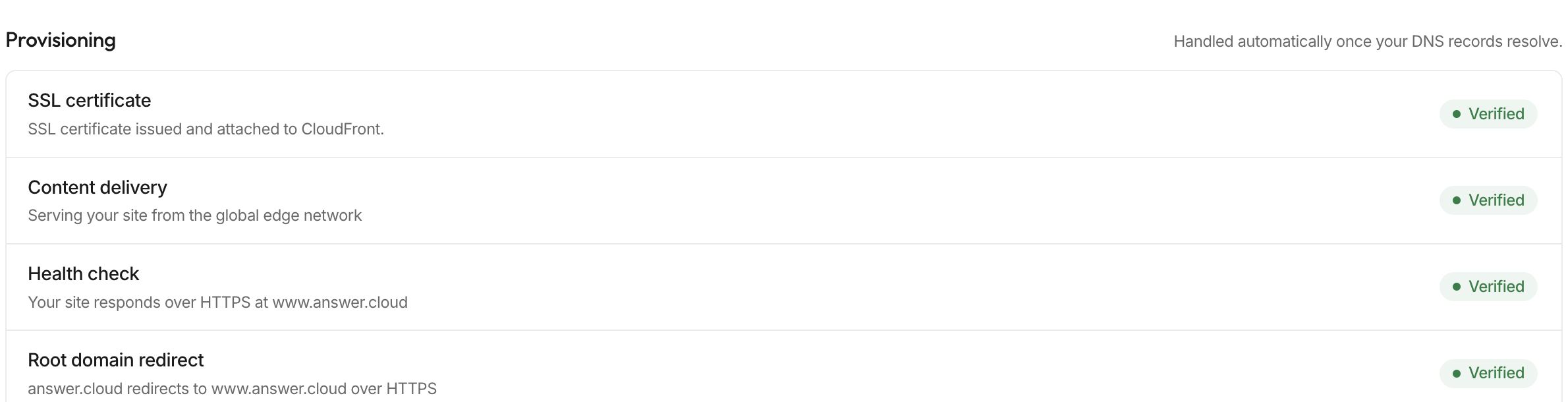
Inspect hostname, status, headline, cert_status, cloudfront_status, checks, error, and next together. Do not repeatedly add the same domain while its existing configuration is processing.
| Observation | Check and corrective action |
|---|---|
| Ownership is unverified | Copy the domain-specific TXT name/value from the site's Domains dashboard and inspect the authoritative DNS record |
| DNS target is invalid | Compare the saved CNAME and any apex records with the exact current instructions |
| Certificate is pending validation | Add the returned certificate-validation CNAMEs; keep their exact names and values |
| Certificate is issued but HTTPS is unavailable | Inspect attachment and routing status, allow the queued configuration to complete, then refresh |
| Canonical hostname works but apex fails | Confirm apex forwarding was intentionally enabled and its separate routing records are correct |
| Wrong website appears | Compare hostname, selected site, DNS target, current environment, and production deployment |
Inspect the DNS provider's saved result#
Verify that you are editing the authoritative DNS zone, not an inactive provider account. Check whether the provider appends the domain to a record name; entering a full hostname into a label-only field can create a duplicate suffix.
Remove conflicting A/AAAA/CNAME records only for the host you are moving. Some DNS proxies obscure the expected target; inspect DNS-only mode for that hostname if validation cannot see the required CNAME. Do not remove unrelated mail or verification records.
DNS caches and asynchronous certificate operations can take time. Use concrete record values and check timestamps instead of assuming either immediate activation or a universal waiting period.
Escalate certificate and routing failures#
If validation timed out, expired, or reports a platform attachment failure, collect the current status and ask support for the appropriate recovery. Avoid repeatedly removing an active domain or guessing replacement certificate records.
Send the public hostname, site slug, organization, observed error, record type/name/target, check time, and whether canonical or apex HTTPS failed. Do not include account passwords, OAuth credentials, signed upload URLs, or private claim links.
After any correction, refresh status and open the actual canonical page and an important path. Domain activation alone does not verify the website's current content or chat behavior.