
Create a collection when several entries need the same fields and presentation. For example, a Resources collection can give every guide a title, summary, body, and publication date. Reuse an existing collection when it already fits.
Create it in the dashboard#
- Select the intended site and open CMS.
- Choose New collection and select the closest starting point.
- Enter a Name, such as Resources, and a URL slug, such as
resources. - Review the fields in the visual field builder. Give each field a clear label and mark required information deliberately.
- Choose Create collection.
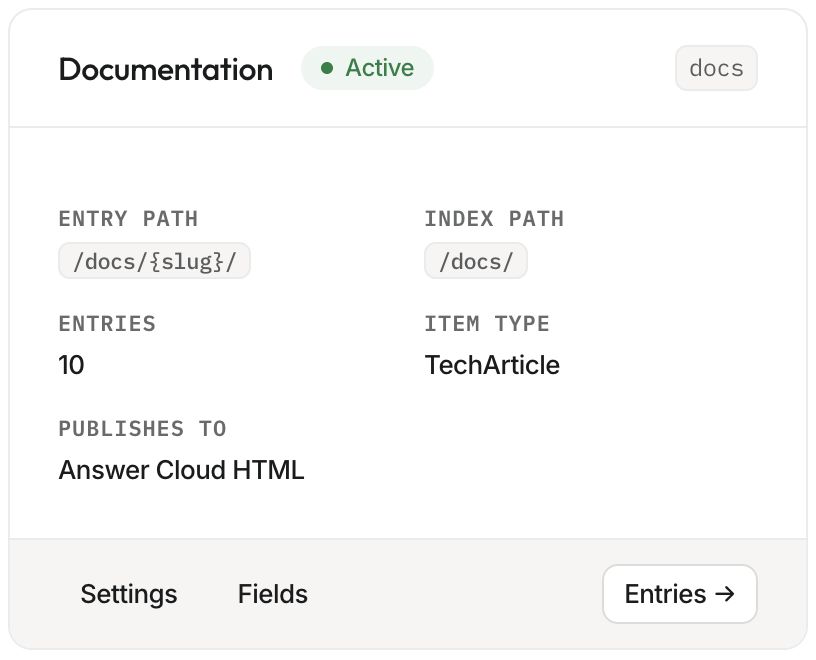
- Open Settings to inspect the Entry path pattern, Index path, item type, and publishing destination.
A normal entry pattern contains {slug}, for example /resources/{slug}/. An index can use /resources/. Changing these paths later can change public URLs, so check existing links before doing so.
Define it through your agent#
Ask the connected agent to run list_organizations, select the intended organization, then inspect list_sites and list_cms_collections. For an existing website companion, preserve the configured collections unless a new collection is actually required.
The following is an example argument object for upsert_cms_collection; replace the site and organization values with the real target:
{
  "organization_id": 123,
  "site_slug": "example",
  "key": "resources",
  "name": "Resources",
  "index_path": "/resources/",
  "path_pattern": "/resources/{slug}/",
  "item_type": "Article",
  "fields": [
    { "key": "title", "label": "Title", "type": "string", "required": true },
    { "key": "summary", "label": "Summary", "type": "text" },
    { "key": "content", "label": "Content", "type": "markdown", "required": true },
    { "key": "published_at", "label": "Published at", "type": "datetime" }
  ],
  "sort": { "field": "published_at", "direction": "desc" }
}
Custom fields belong to the collection's schema. Through MCP, custom entry values go in metadata; reserved values such as title, content, and summary use their named arguments. Keep field keys stable when entries already contain values.
Verify the collection#
Open a new entry and confirm the expected fields appear. Check the destination and URL pattern. For Answer Cloud HTML, have the agent ship matching collection templates before publishing. Creating a collection records its structure; it does not deploy those templates.
If an entry renders with generic styling, inspect template health. If a path collides with an existing static page, resolve ownership before publishing. Continue with creating entries and the CMS tool reference.