
Open Analytics for the selected site. The main screen is All Traffic. Hosted-site routes include the site slug, for example /site/example/analytics, so confirm the site before comparing results.
Feature access and available history depend on the plan. An empty screen immediately after setup does not necessarily mean collection failed: daily charts and recent raw events have different timing.
Choose a reporting range#
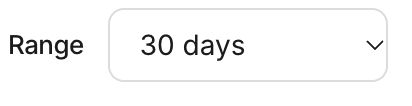
On All Traffic, the Range control offers 1 day, 7 days, 30 days, 90 days, and 1 year; 30 days is the default. Consolidated reporting normally ends on yesterday, so a one-day range describes the previous calendar day rather than a rolling last 24 hours.
Use the same site and range for a comparison. A longer selected period can contain days before installation or beyond the site's available history. Record the dates and collection context with any exported finding.
Read the cards and page table#
The cards include Total Visits, Human Visits, Agent Share, AI Referrals, AI Chats, Top Agent, Top Page, Baseline, Trend, and Bot Mix. Treat visits as recorded views, not unique people. The baseline is a comparison value where available; a missing baseline is not zero traffic.
The page table separates Total, Chats, Humans, AI Bots, and Other Bots. Open the page's analytics link for a page-level view. A separate System files section shows discovery-resource activity such as requests to robots or sitemap files.
For example, 100 human views plus 20 AI bot views and 5 other bot views produce 125 traffic views. If 8 of those human views are AI referrals, they remain part of the 100. Chat answers are another activity measure; do not add them to traffic as extra visitors.
Use the focused screens#
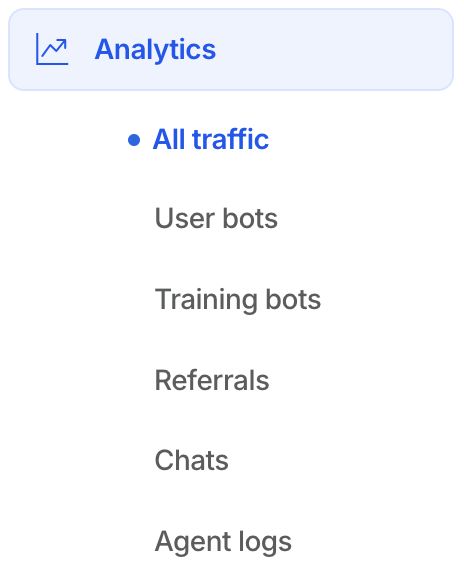
The Analytics navigation exposes User bots, Training bots, Referrals, and Chats when consolidated data is available. Use these to inspect the relevant activity rather than interpreting every bot as a referral or every answer as a new conversation.
Agent logs remains available for immediate setup verification. It lists the latest 100 edge events for the site's current host scope, including time, page, visitor/agent, referrer, status, and response time. It is a recent diagnostic view, not a complete historical export.
Investigate a surprising result#
Check the selected site, range, public hostname, and collection method. Review raw logs for current collection, then compare finalized charts after consolidation. A missing referrer, excluded asset path, or different site scope can explain differences from another analytics product.
Continue with metric definitions, AI referrals, and analytics troubleshooting.