
Use the content lifecycle to keep old answers from competing with current information. Choose the action based on whether you want to preserve the entry, remove it permanently, or apply a layout change.
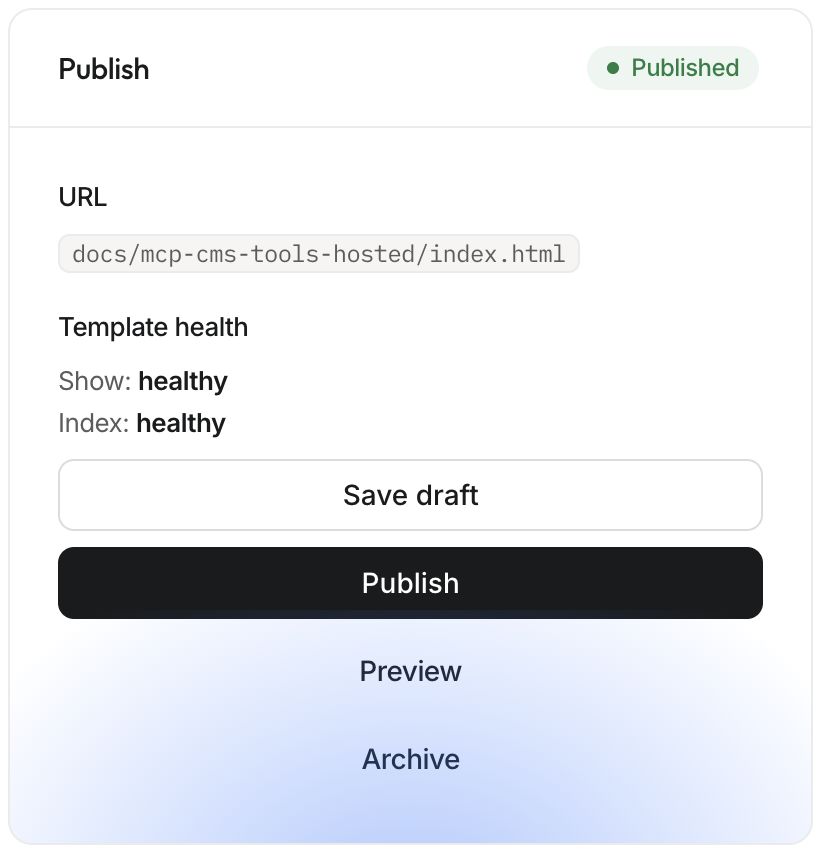
| Action | Content record | Public effect |
|---|---|---|
| Save draft | Preserved | Published version stays in place |
| Publish | Preserved | Reviewed draft becomes public |
| Archive | Preserved | Entry is removed from publication |
| Delete | Permanently removed | Entry is removed and cannot be recovered through the CMS |
| Republish | Preserved | Published entries are rendered again |
Archive an entry#
Select the site and collection, open the entry, and choose Archive. In the collection, the Archived tab lists retained archived entries. An agent can perform the same action with archive_cms_entry after checking the exact site, collection, and entry ID.
For Answer Cloud HTML, archiving removes the entry's public page and Markdown mirror, updates the collection listing, and refreshes discovery. Check the old URL and listing after the operation. External search engines and browser caches can retain older copies until they refresh.
Archiving does not create a redirect to another page. Before retiring a frequently linked article, decide how readers will find its replacement and update internal links. Preserve a useful replacement answer when the original topic still matters.
Publish an archived entry again#
Open the archived entry, inspect its content and any staged changes, then publish the version you intend to restore. Treat this as a real publication: preview it, check its slug, and verify the public URL. Restoring content can require capacity under the site's current CMS allowance.
Permanently delete only when needed#
The MCP delete_cms_entry operation destroys the entry record and removes its public output. Use archive when your goal is simply to take content down while retaining it. Before deletion, keep any required editorial backup and inspect the entry ID; a familiar title is not enough to identify the right record.
Do not assume every dashboard screen exposes a delete control. The entry editor currently provides Archive; use the supported tool when permanent deletion is actually required.
Republish after template changes#
After shipping a corrected collection template, use republish_cms with collection_key to re-render that collection, or omit it to refresh published CMS content across the site. Verify existing entries and indexes afterward. Republish is not a substitute for publishing an entry's draft.
Webflow-destination collections use their own remote publication and unpublication behavior. Verify the Webflow live page as well as Answer Cloud's status. Continue with Webflow publishing and publishing checks.