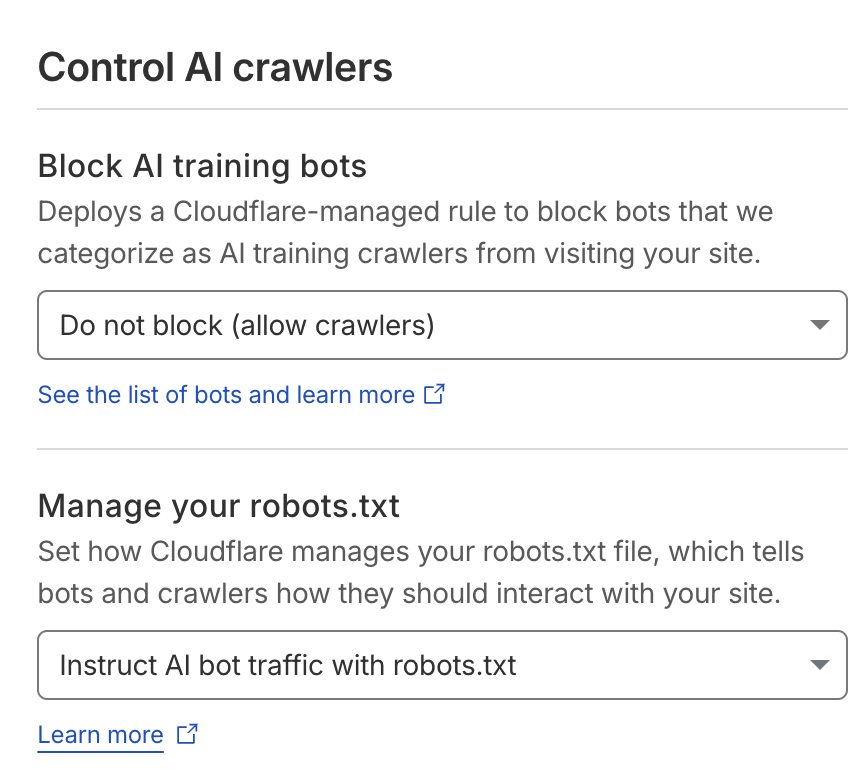
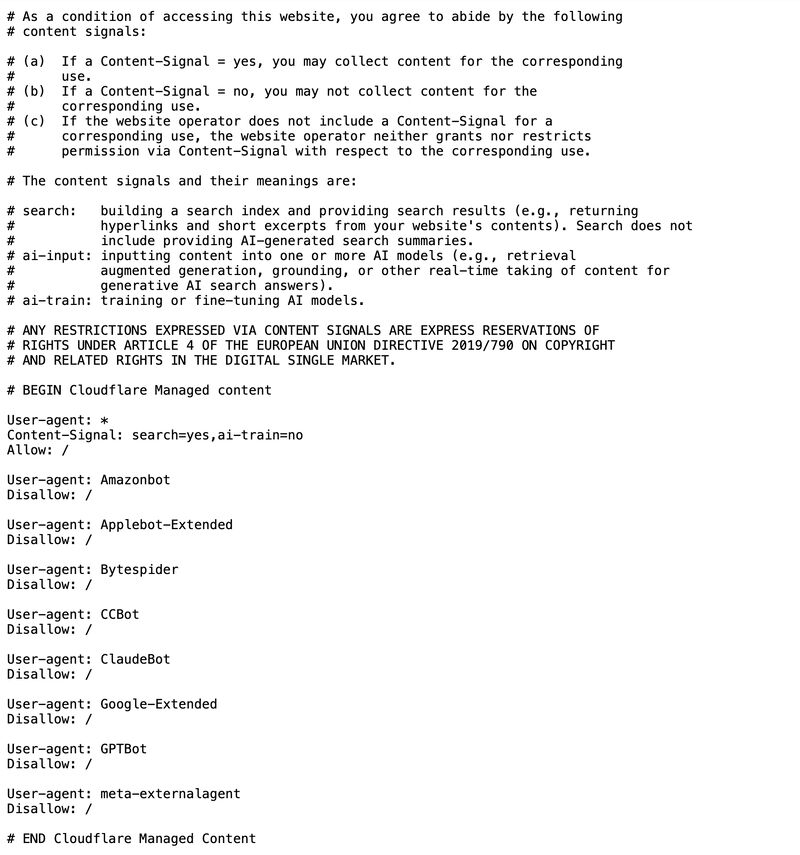
If Cloudflare proxies your website, review the robots.txt response actually delivered to visitors and crawlers. Also inspect the separate bot-management controls. Their purposes and effects differ.
Read the matching user-agent group
The historical screenshots below allow the wildcard group while disallowing selected named AI crawlers. They do not show a blanket block on all bots. Disallow: / applies to the relevant matching group; it must be interpreted with the rest of the file.
Use current controls
Follow Cloudflare’s managed robots.txt documentation for the current setting and behavior. The screenshots are a January 2026 example, not a current click-by-click setup guide.
Verify the public response after changes and test relevant pages. Robots preferences are separate from security rules that may block a request, and neither a permissive robots file nor disabling a setting guarantees AI visibility.
Read robots.txt vs llms.txt.